

Accounts and low-balance warnings
Add checking, savings, credit cards or cash, set opening balances, and get warned before you dip too low.
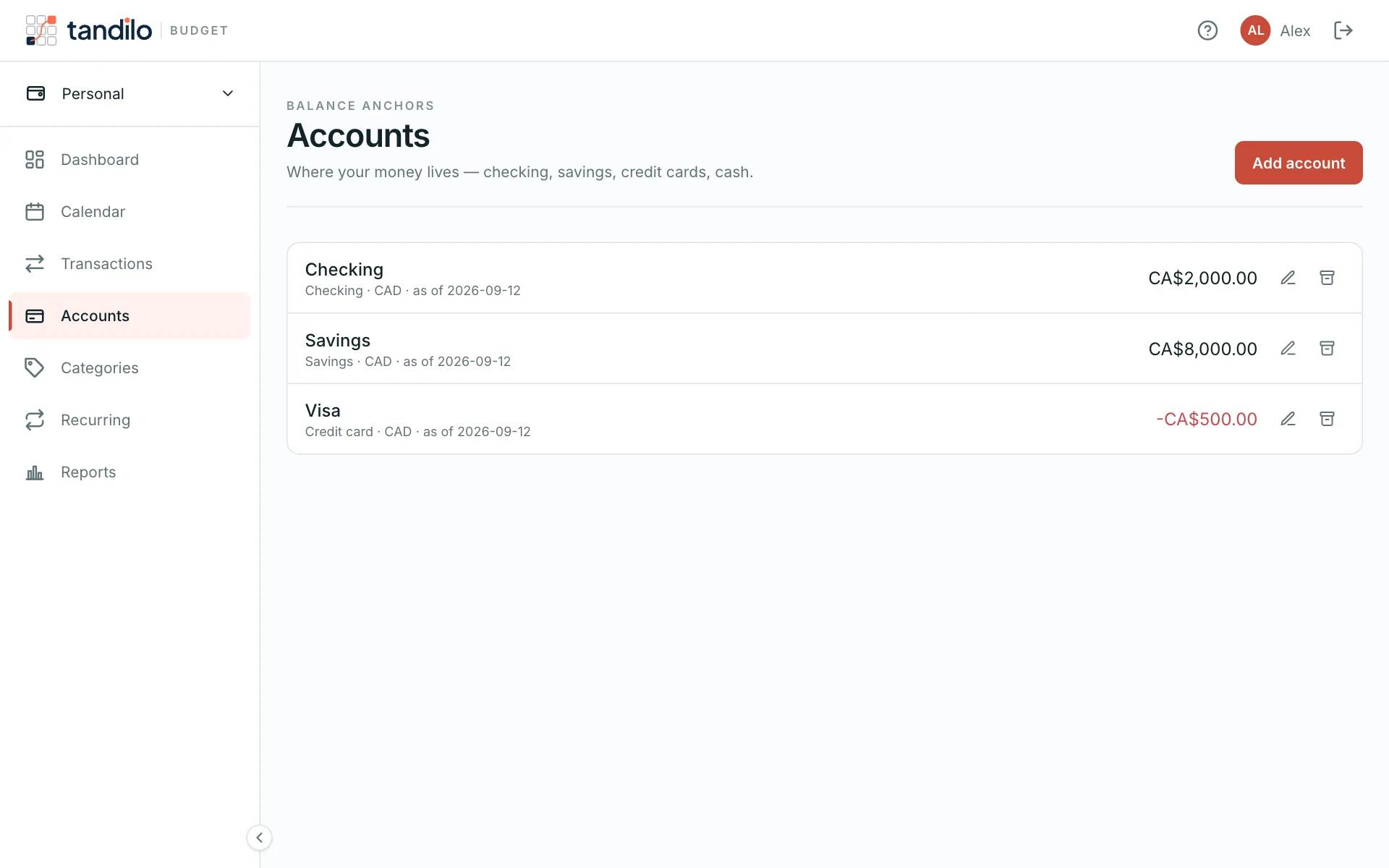
An account is any place money lives: a bank account, a credit card, a cash envelope. Open Accounts from the menu.
Adding an account
Choose a name, a type (checking, savings, credit card, cash or other), and its opening balance — what the account held on the opening date. Tandilo counts every transaction and recurring item from that date on.
Tip: use today's balance from your bank app and today's date. You don't need to enter history.
Credit cards
Enter a credit card's balance as a negative number: you owe it. Paying the card is a transfer from checking, which brings it back toward zero. Tandilo can size that payment automatically to the full balance.
Low-balance warnings
Set Warn me when below on any account — for example $0 on checking, or $500 if you like a cushion. When the projection shows the account dipping under that amount in the next 30 days:
- the dashboard shows a warning with the date and the shortfall, and
- you get a low balance email (unless you turned it off).
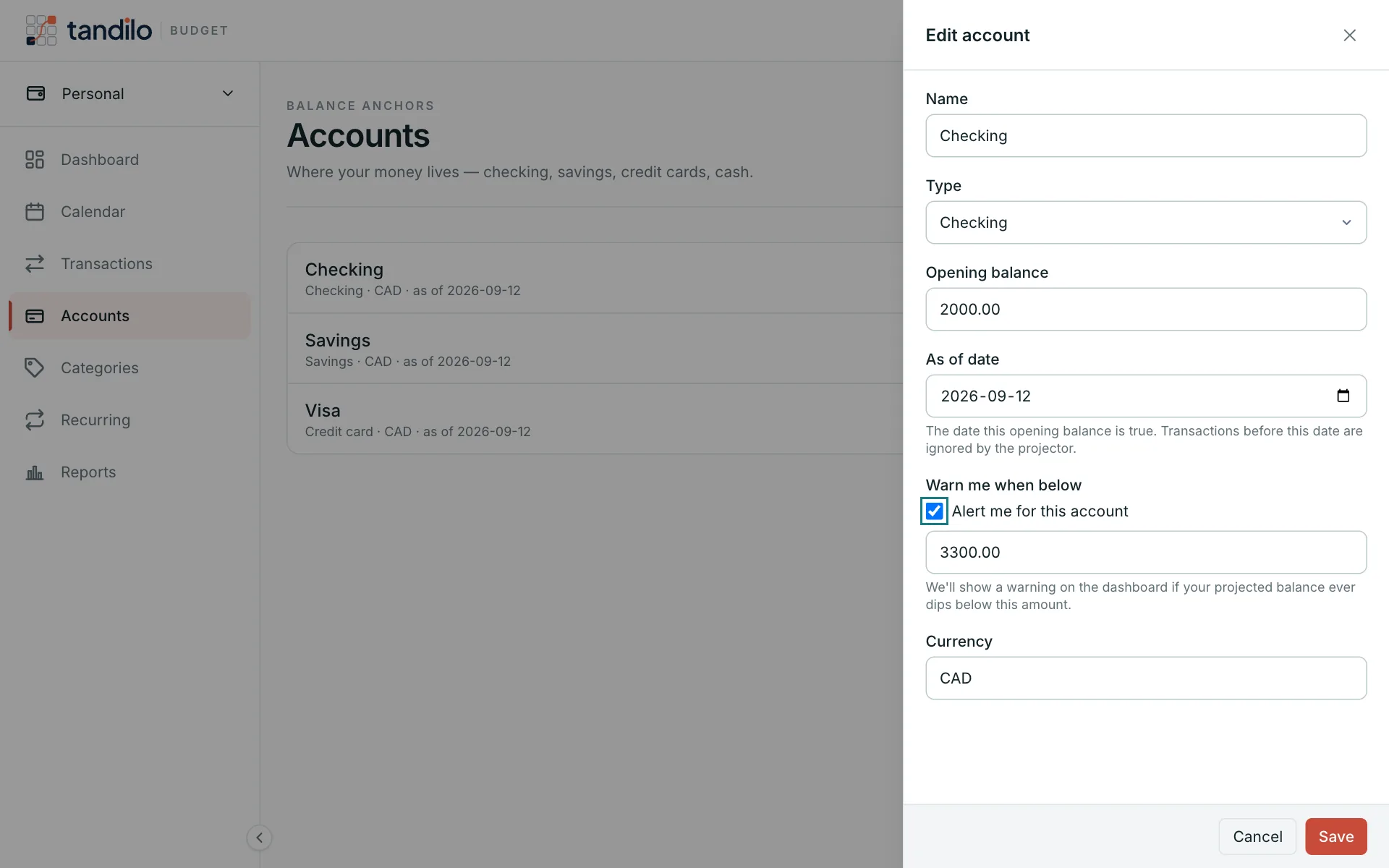

Warnings are opt-in per account, so a credit card that is always negative never nags you.
Archiving
Archive an account you closed. It disappears from totals and projections but keeps its history, and you can unarchive it anytime.
Still stuck?
Write to us — a human answers every message, usually within 1–2 business days.
Contact support